

1
Open a form
In the dashboard, click the form you want to inspect and open the “Submissions” tab.
2
Review the table
Each row is a submission. Columns are created from submitted field names, plus a “Created At” timestamp.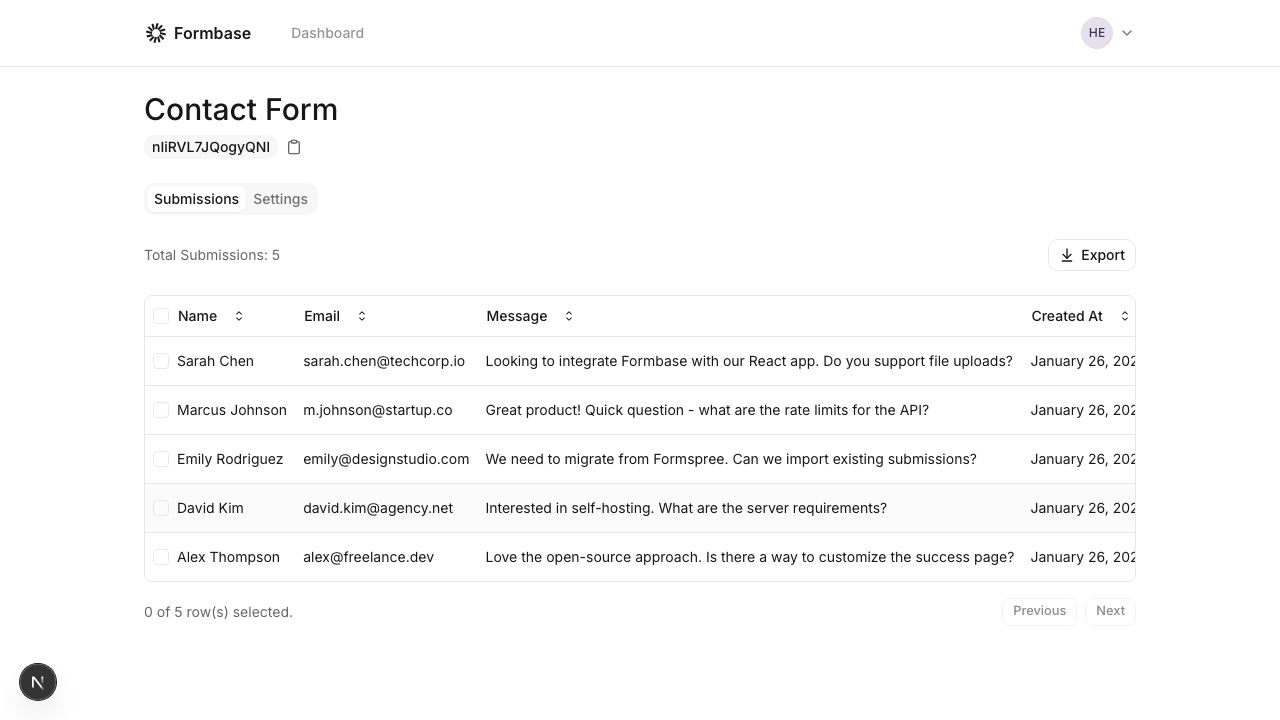
3
Preview files
If a submission includes a
file or image URL, the table shows a downloadable link. Images include a quick preview dialog.Tips
- Click a column header to sort.
- Use the pagination controls at the bottom to navigate large datasets.
- Select rows if you want to delete individual submissions.
Formbase stores submission data exactly as it is sent. If you rename fields in your frontend, new columns will appear for the new names.