Each form has a default recipient email for submission notifications. By default, Formbase uses the email on your account, but you can override it per form. Use this when multiple teammates manage different forms or when you want alerts sent to a shared inbox.
1

Open the form settings

Go to the form in your dashboard and open the “Settings” tab.
2

Update the recipient

Enter the email address you want to receive notifications and click “Save”.
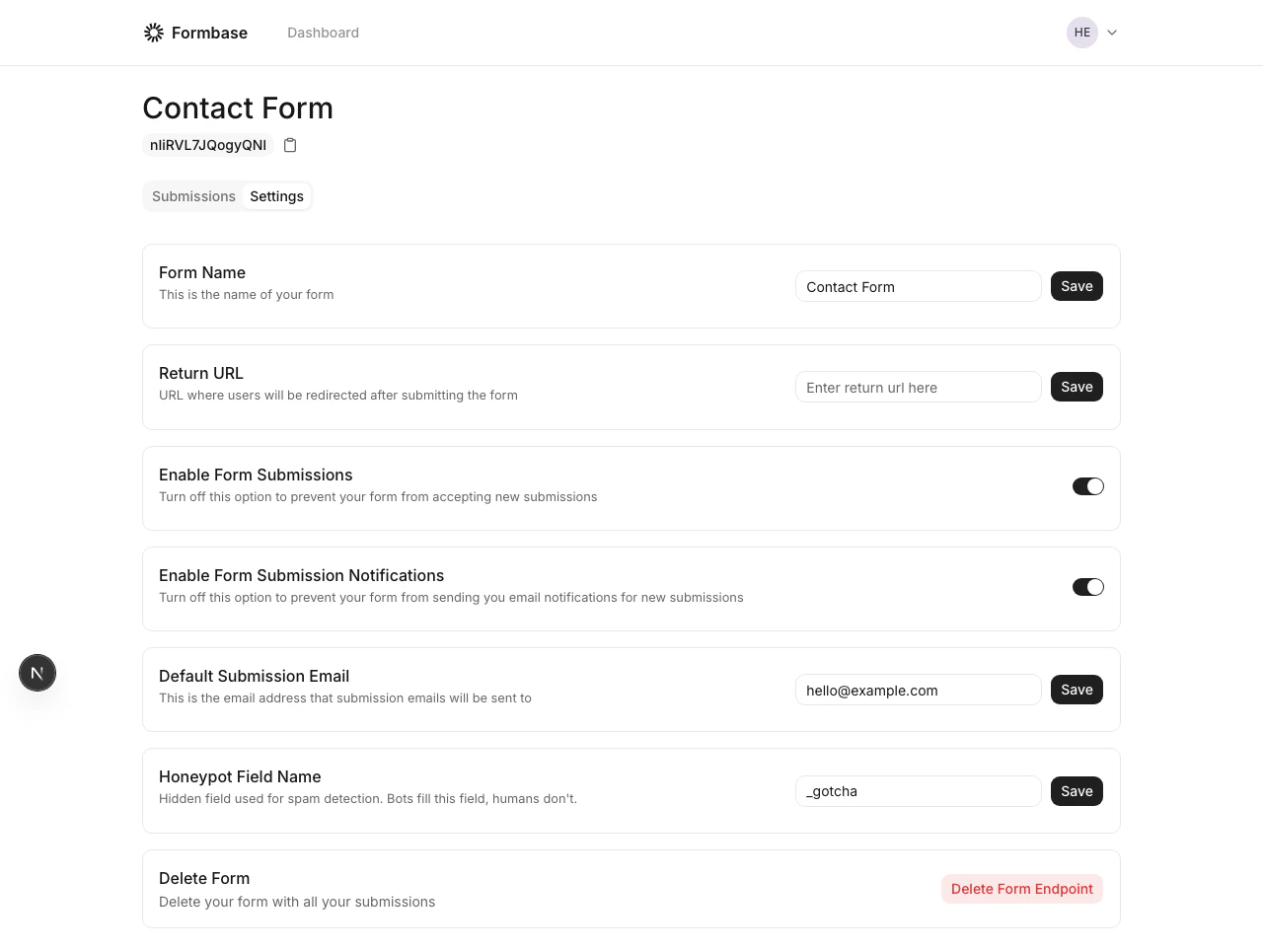
Form settings with recipient email field
This setting only affects notification emails. Submissions are still stored in the dashboard for all forms.