JSON exports are best when you want to process submissions programmatically or preserve structured fields like arrays and objects. Formbase exports a JSON array where each item is the submitted data object.
1

Open the submissions tab

In the dashboard, open the form and go to the “Submissions” tab.
2

Export as JSON

Click the “Export” button and choose “Export as JSON”. The file downloads immediately.
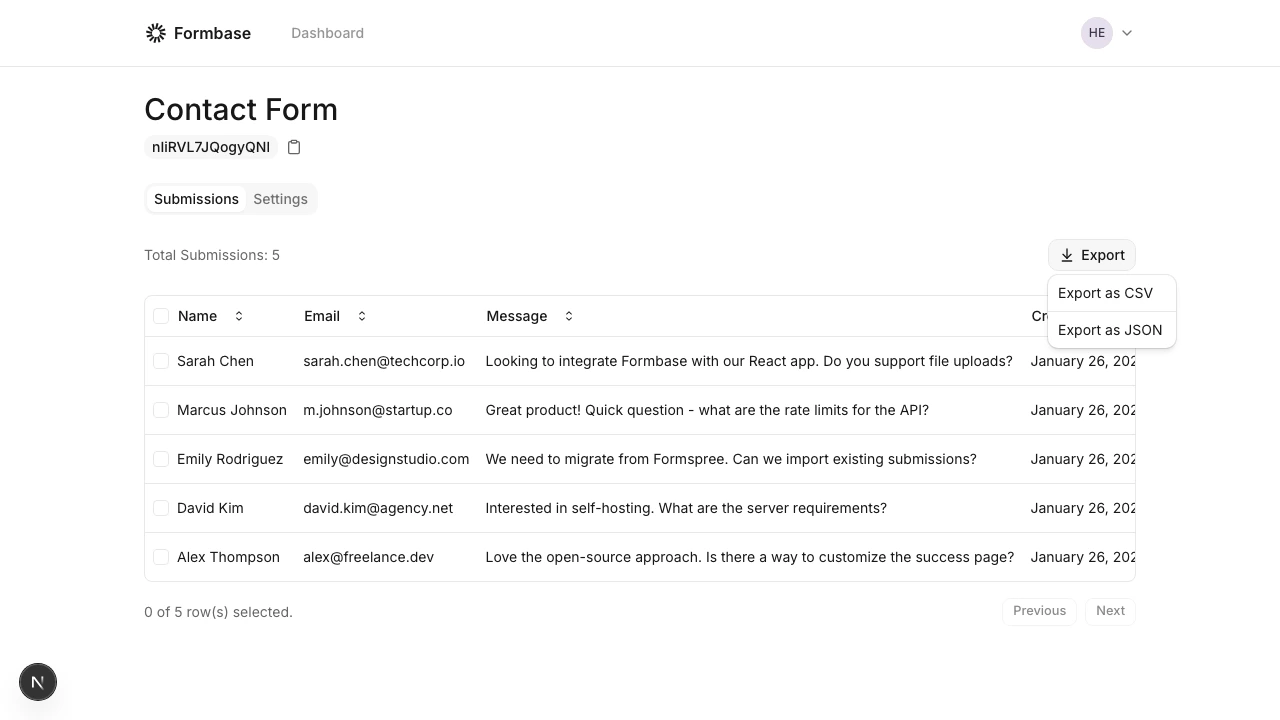
Export dropdown with JSON option

Export format

[
  {
    "name": "Ada Lovelace",
    "email": "[email protected]",
    "message": "Hello from Formbase"
  },
  {
    "name": "Grace Hopper",
    "email": "[email protected]",
    "message": "Another submission"
  }
]
Only the submitted data is included. Metadata like IDs and timestamps stay in the dashboard.