> ## Documentation Index
> Fetch the complete documentation index at: https://docs.formbase.dev/llms.txt
> Use this file to discover all available pages before exploring further.
# Deleting Submissions
> Remove submissions you no longer need.
Formbase lets you delete individual submissions from the dashboard. This is helpful when cleaning up test data or removing unwanted entries.
If you need to delete all submissions for a form, delete the form itself.
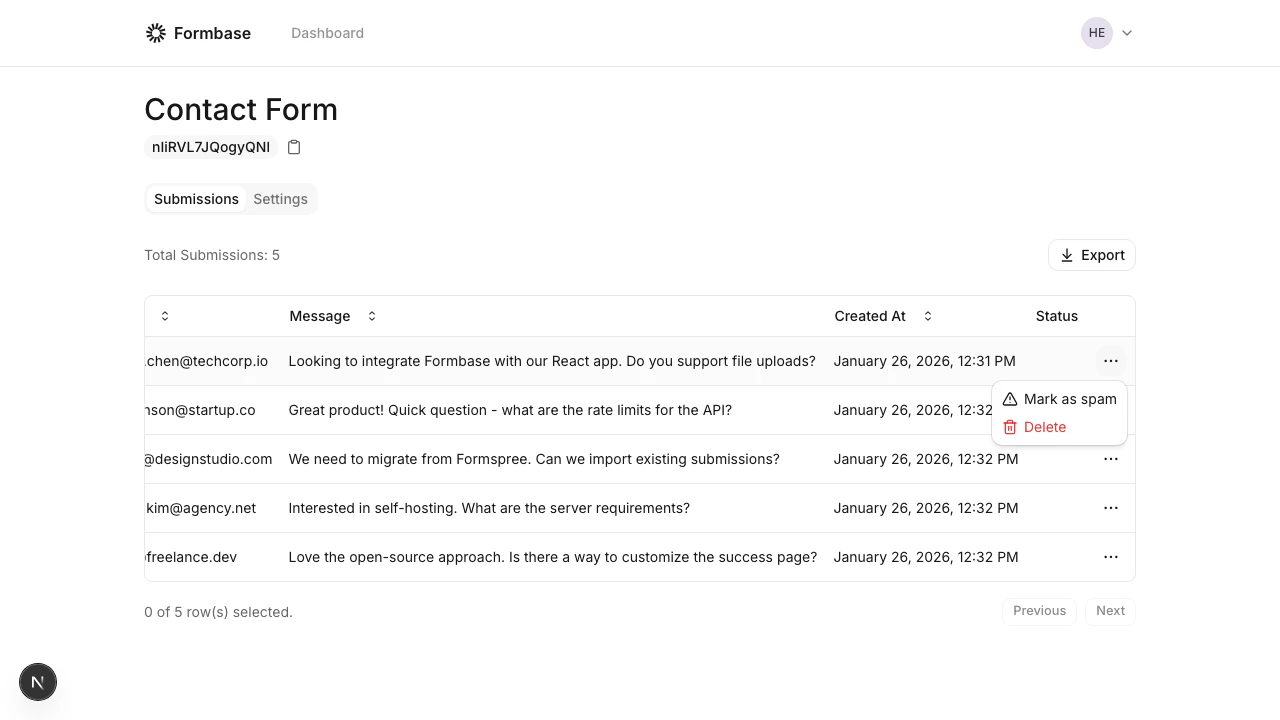
Go to the form in your dashboard and open the "Submissions" tab.
Use the row action menu (three dots) and select "Delete". The submission is removed immediately.
 Deletions are permanent. Export your data first if you might need it later.