> ## Documentation Index
> Fetch the complete documentation index at: https://docs.formbase.dev/llms.txt
> Use this file to discover all available pages before exploring further.
# Enable or Disable Submissions
> Pause new submissions for a form.
Formbase lets you toggle whether a form is accepting new submissions. This is useful when you want to pause a campaign, stop a waitlist, or prevent additional entries while you process responses.
The toggle is stored with the form and reflected in the dashboard.
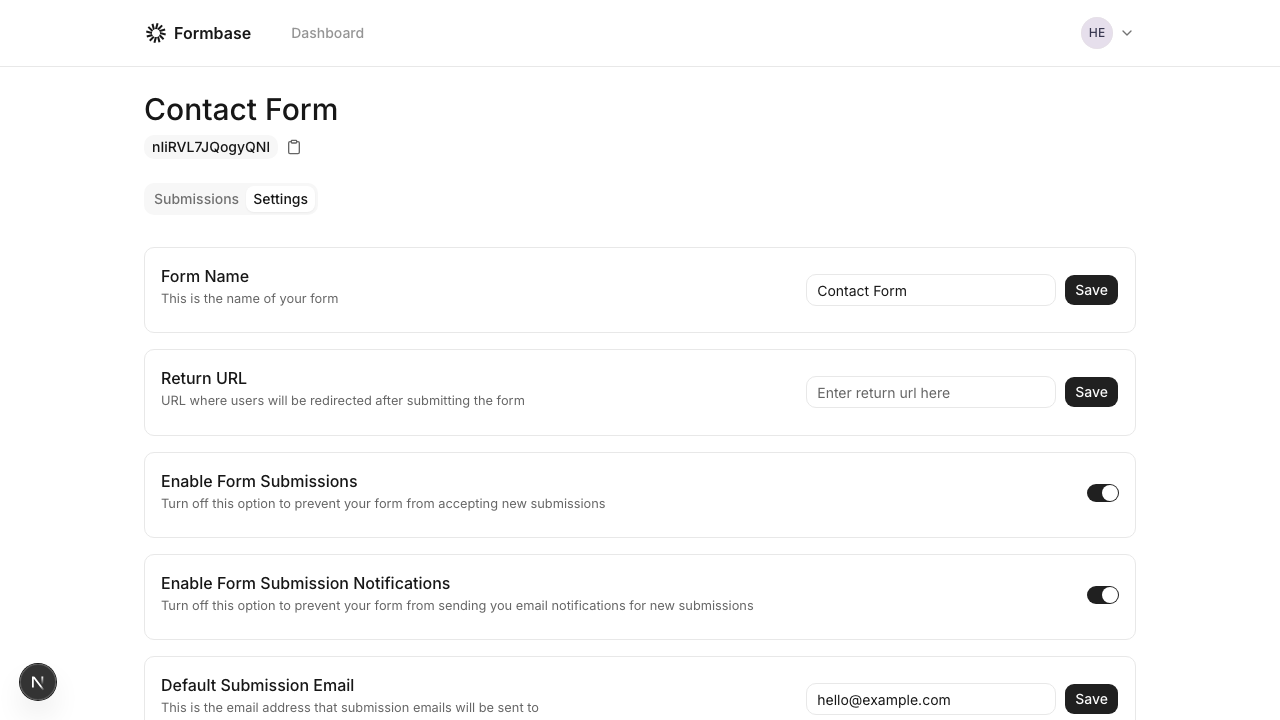
Go to the form in your dashboard and open the "Settings" tab.
Switch "Enable Form Submissions" on or off.
 The open-source endpoint does not currently enforce the toggle at the HTTP layer. If you need a hard block, remove the form from your site or add a reverse proxy rule to block POST requests.