> ## Documentation Index
> Fetch the complete documentation index at: https://docs.formbase.dev/llms.txt
> Use this file to discover all available pages before exploring further.
# Introduction
> What Formbase is and how to get your first submission.
Formbase is an open-source backend for form submissions. You build the form UI in your app or site, then send the data to a Formbase endpoint. Formbase stores each submission, shows it in the dashboard, and can email you when new data arrives.
The workflow is simple: create a form in the dashboard, post to its endpoint, and review submissions. Browser posts redirect to a built-in success page, while server requests receive JSON.
## How Formbase works
Forms live in the dashboard. Each form gets a unique endpoint like `https://formbase.dev/s/your-form-id`.
Any HTTP client can submit. For static sites, use a normal HTML form. For apps, use fetch or a server action.
Submissions appear in the dashboard. Enable email notifications if you want alerts for new entries.
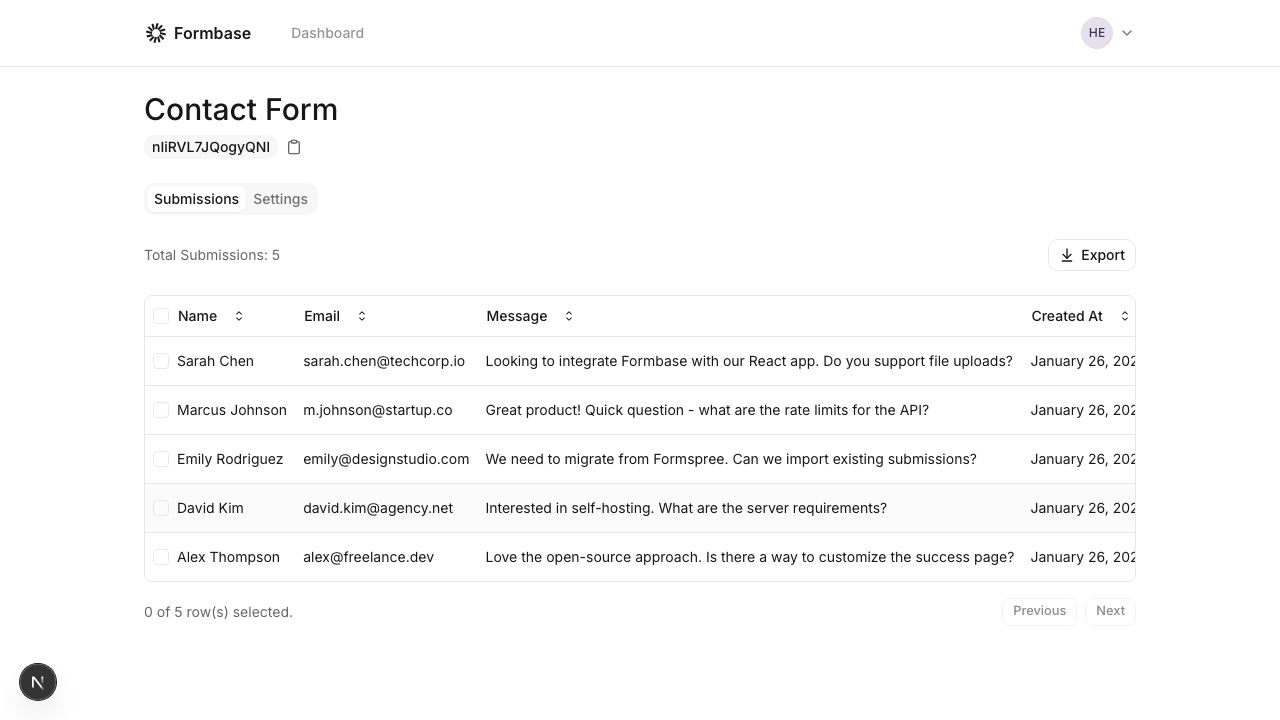 Formbase does not enforce a field schema. The `name` attributes you send become keys in your submission data.
## Quick start examples
```html index.html theme={null}
```
The browser handles the redirect after submission.
```ts server.ts theme={null}
const response = await fetch('https://formbase.dev/s/YOUR_FORM_ID', {
method: 'POST',
headers: { 'Content-Type': 'application/json' },
body: JSON.stringify({ name: 'Ada', email: 'ada@example.com' }),
});
const result = await response.json();
console.log(result.message, result.data);
```
Server requests receive JSON with the data you submitted.
## Next steps
Set up a form in the dashboard and grab its endpoint.
Learn how endpoints work for hosted and self-hosted setups.
Formbase does not enforce a field schema. The `name` attributes you send become keys in your submission data.
## Quick start examples
```html index.html theme={null}
```
The browser handles the redirect after submission.
```ts server.ts theme={null}
const response = await fetch('https://formbase.dev/s/YOUR_FORM_ID', {
method: 'POST',
headers: { 'Content-Type': 'application/json' },
body: JSON.stringify({ name: 'Ada', email: 'ada@example.com' }),
});
const result = await response.json();
console.log(result.message, result.data);
```
Server requests receive JSON with the data you submitted.
## Next steps
Set up a form in the dashboard and grab its endpoint.
Learn how endpoints work for hosted and self-hosted setups.