> ## Documentation Index
> Fetch the complete documentation index at: https://docs.formbase.dev/llms.txt
> Use this file to discover all available pages before exploring further.
# Creating Your First Form
> Set up a form endpoint in the Formbase dashboard.
Creating a form in Formbase gives you a unique endpoint you can post to from any site or application. The title and description are for your own organization and do not affect submissions.
You can also define a return URL. After a browser submission, Formbase shows a success page with a button that sends users back to that URL.
Sign in to Formbase and click "New Form" in your dashboard.
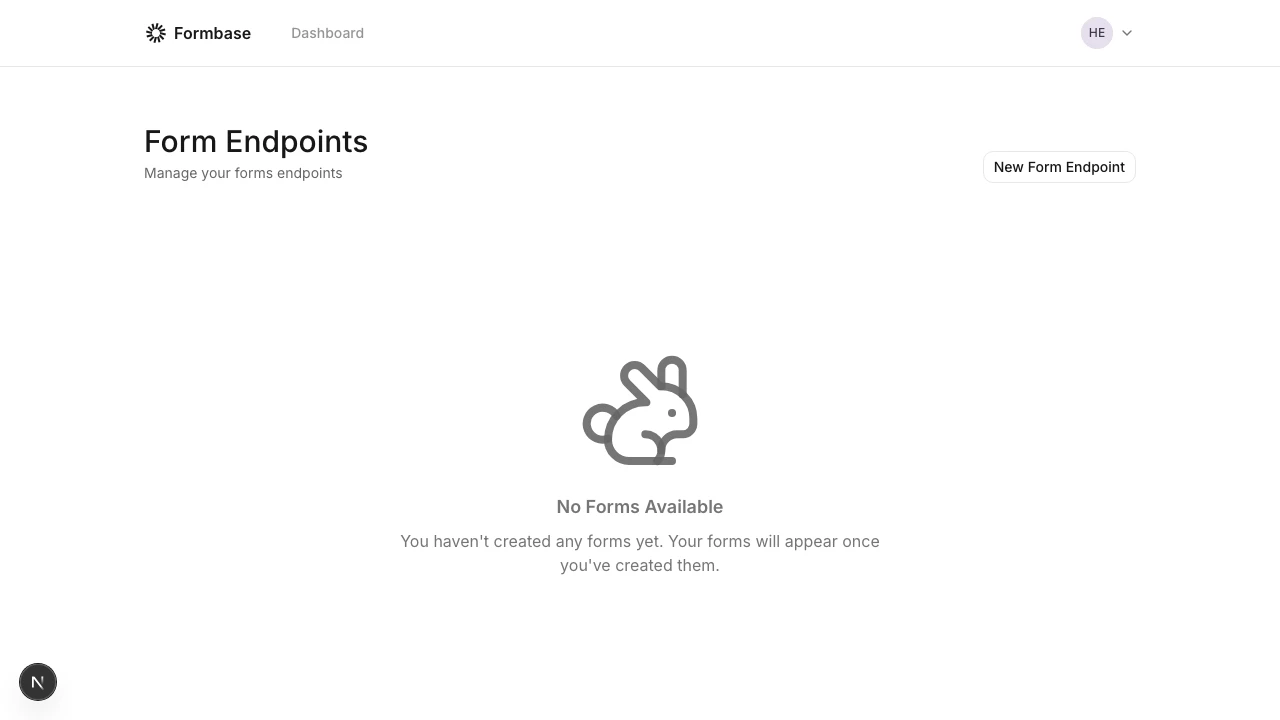 Add a title and optional description to make it easy to find later. These fields appear only in your dashboard.
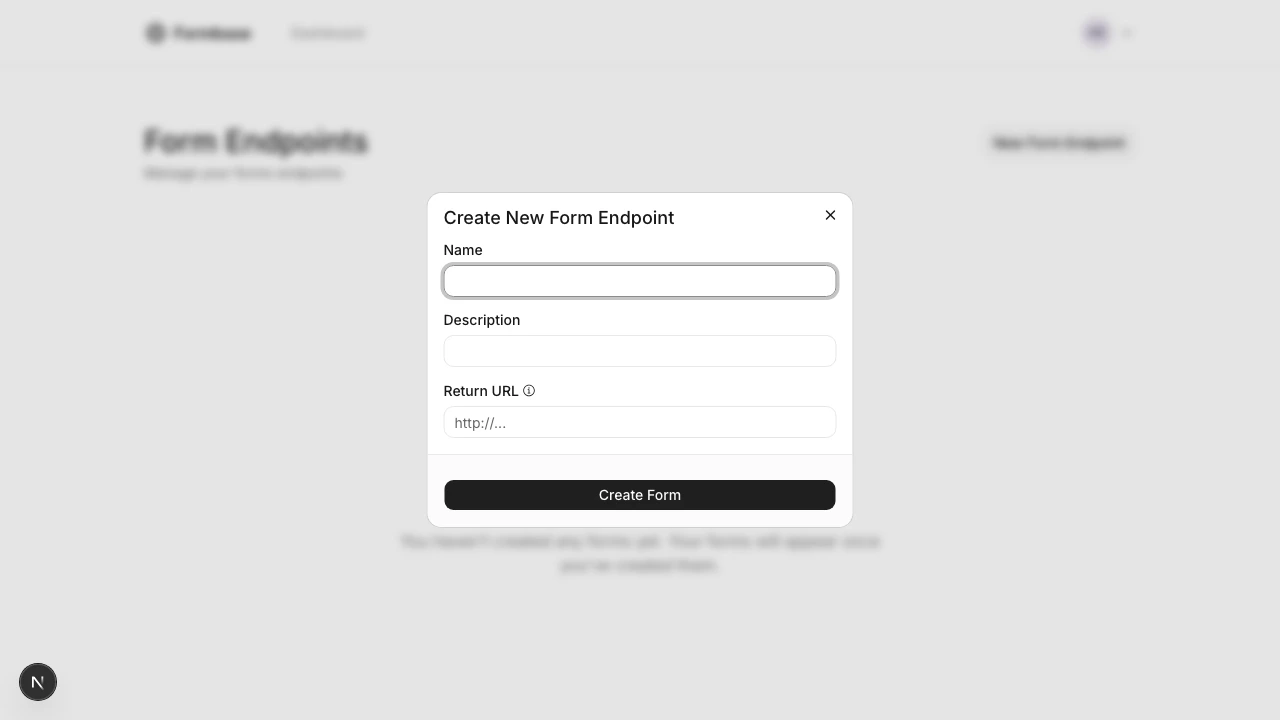 If you want a button on the success page that sends visitors back to your site, add a return URL now or update it later in settings.
After saving, Formbase shows your endpoint, for example:
```text theme={null}
https://formbase.dev/s/your-form-id
```
Use this endpoint as the `action` in an HTML form or as the URL in your fetch request.
If you want a button on the success page that sends visitors back to your site, add a return URL now or update it later in settings.
After saving, Formbase shows your endpoint, for example:
```text theme={null}
https://formbase.dev/s/your-form-id
```
Use this endpoint as the `action` in an HTML form or as the URL in your fetch request.
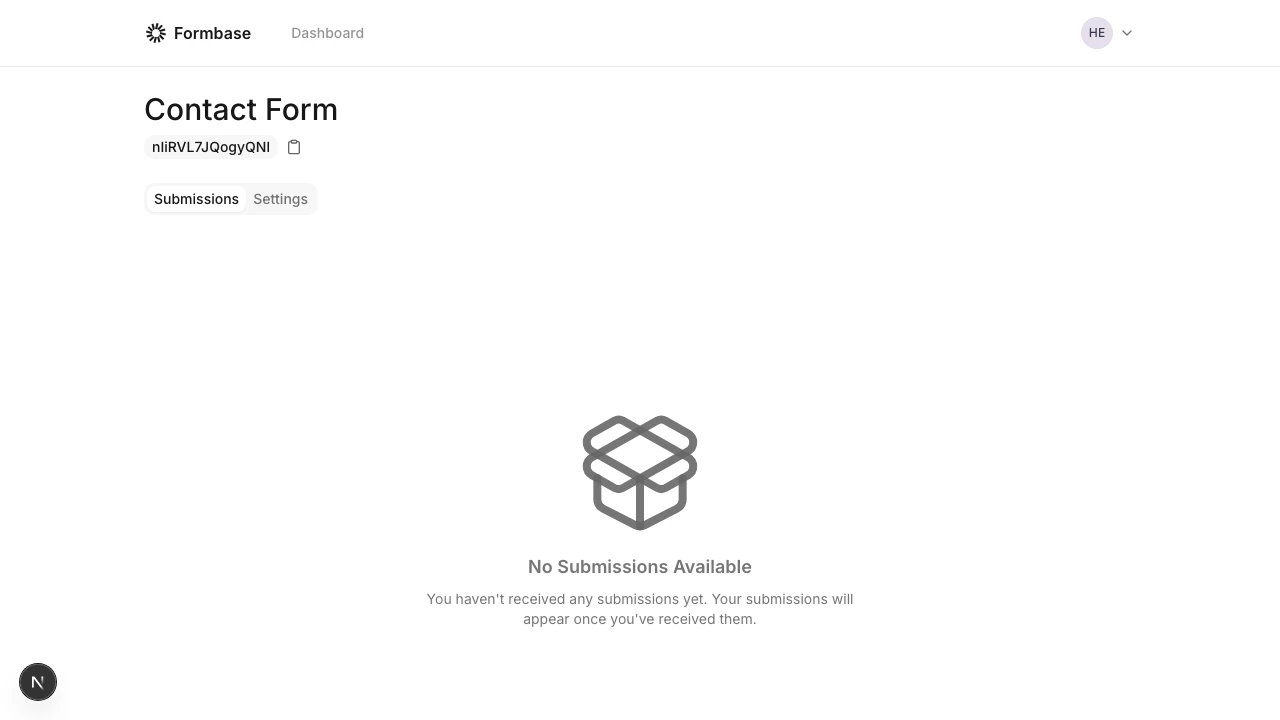 You can rename the form, update the return URL, and change email notification settings at any time from the form settings page.
## Next step
Go to [Your form endpoint](/getting-started/your-form-endpoint) to learn how submissions are handled and how to use the endpoint in different environments.
You can rename the form, update the return URL, and change email notification settings at any time from the form settings page.
## Next step
Go to [Your form endpoint](/getting-started/your-form-endpoint) to learn how submissions are handled and how to use the endpoint in different environments.